



Asking the AI tutor for help
Lesson 2 of 4
What you'll do in this lesson: - Open the built-in AI tutor panel during any lesson card - Understand coin costs and check your balance - Ask focused questions to get step-by-step guidance - Use conversational hints without spoiling the answer
Open the AI tutor panel
Whenever you are unsure about a question or need a concept explained in different words, select Ask the tutor on the card screen.
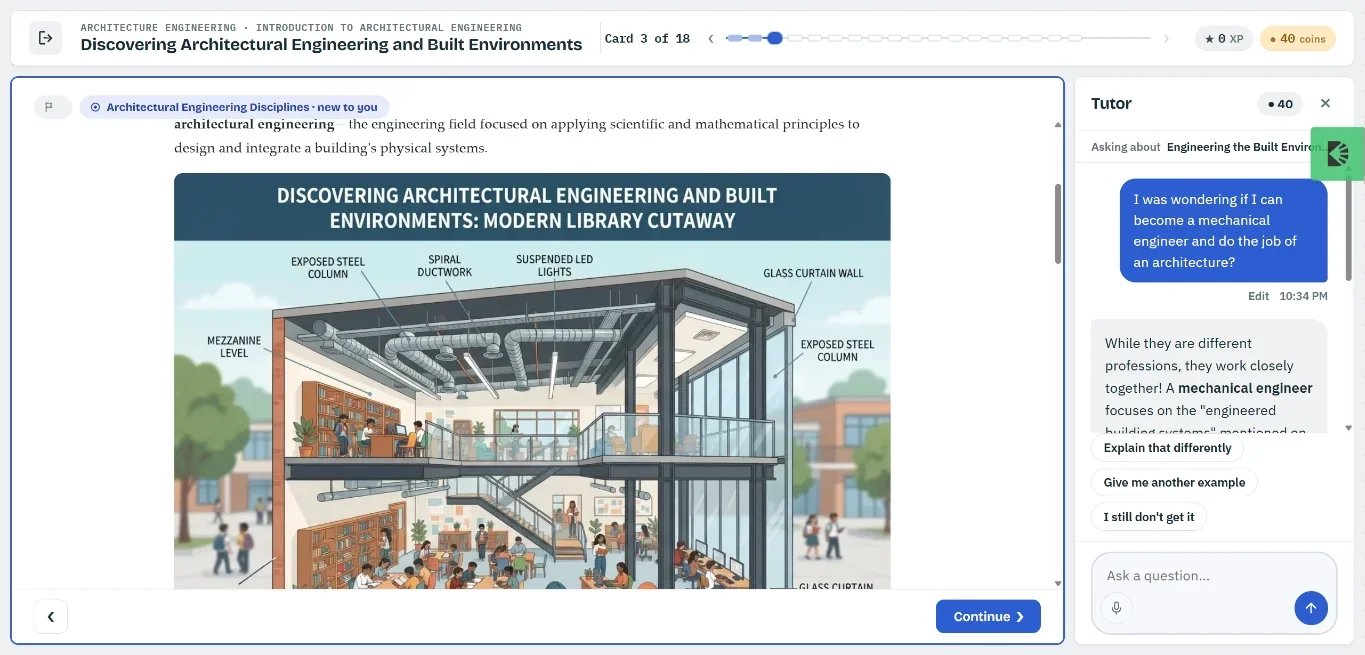
A conversational side panel will slide open alongside your current lesson card without interrupting your session.
Check your coin balance
Asking the AI tutor costs a small number of coins from your balance. The exact coin cost is clearly shown on the button before you submit your question.
- You earn coins automatically by completing lesson cards, reviewing past lessons, and maintaining daily study streaks.
- If your coin balance runs low, the tutor panel will suggest answering a couple more cards or completing a quick review to earn coins.
Ask a focused question
Type your question directly into the tutor chat box. You can ask anything related to the material:
- "Can you explain the formula shown in step 1?"
- "Why is the third answer choice incorrect?"
- "Could you give me another example of this concept?"
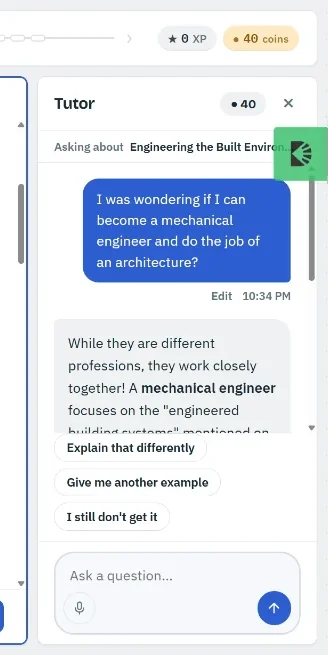
Press Send or hit Enter to receive an instant response.
Apply hints to solve the card
The AI tutor acts like an encouraging coach: it guides you through the reasoning step by step rather than simply blurting out the answer.
Tip. Use the tutor's hints to think through the card again, then close the chat panel and click Try again to submit your answer with confidence.
Still need help?
Message the team, or open a ticket if something is broken. We reply by email.